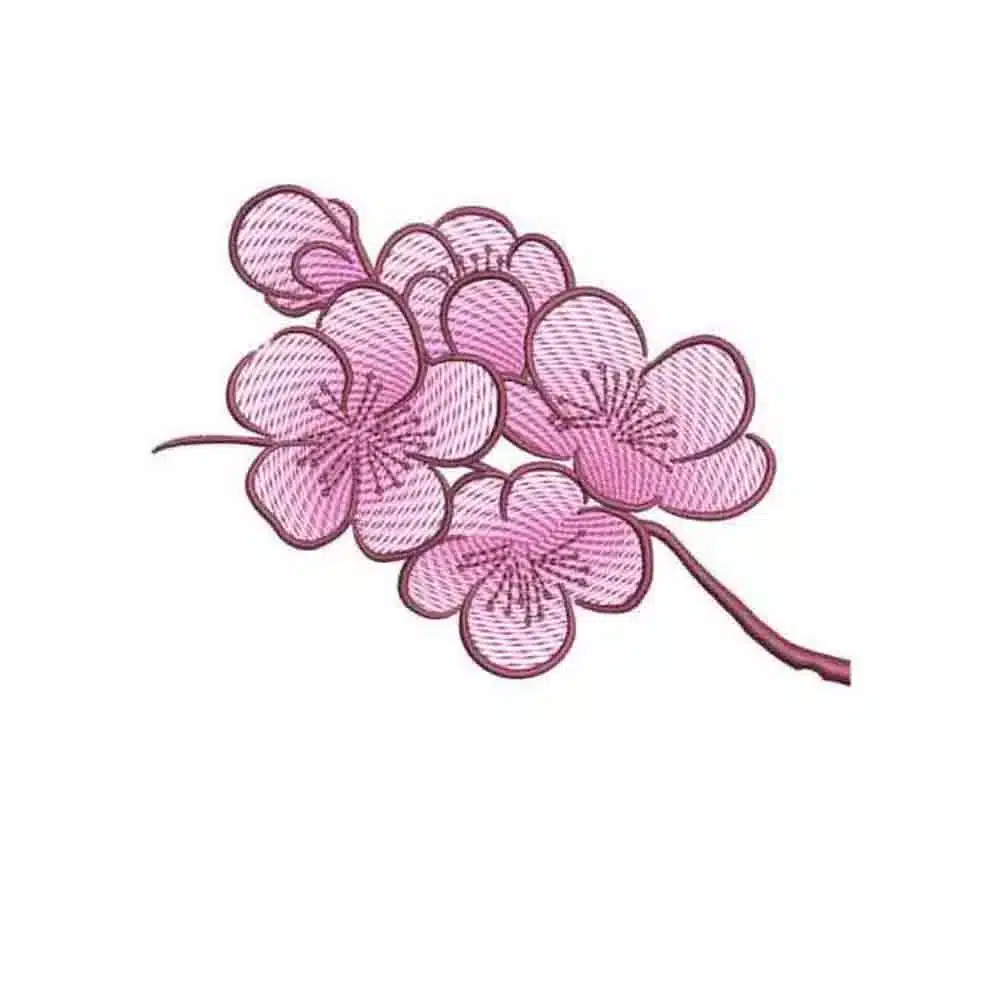
Elegant Sakura Sprig – Free Cherry Blossom Embroidery Design
Bring the fleeting beauty of a spring day to your embroidery machine with this exquisite free cherry blossom design. This pattern beautifully captures a delicate sakura sprig in full bloom, with a light and airy fill stitch that gives it a sophisticated, hand-stitched feel. It’s a timeless design that adds a touch of elegance and tranquility to any fabric. Use this free file to adorn blouses, create stunning home décor, or add a graceful accent to bags and accessories.
Technical Details
- This is a free digital machine embroidery design. No physical item will be shipped.
- File Formats Included: PES, JEF, EXP, XXX, HUS, PCS, DST, VP3, SEW & PDF.
- Size: 2.69 inches (H) x 3.75 inches (W) – 8,871 stitches.
- Hoop Size Required: 4×4 inch or larger.
- Compatibility: For use with all major embroidery machines, including Brother, Janome, and Bernina.
- Download: The file is available for instant download immediately after the free checkout.
Why Choose RGEmbroideryDesigns.com for Embroidery Patterns?
We know there are choices out there, but here’s why embroiderers love our embroidery designs from RGEmbroideryDesigns.com:
- Top-Notch Quality, Always: Each design is professionally digitized by our experienced team. This means you get clean, smooth stitch-outs every time, making your projects look amazing.
- A Style for Every Story: From elegant florals and cute animals to festive holiday motifs and stylish lettering, our collection is packed with variety. We aim to offer something for every taste and project.
- Super Simple Downloads: You can instantly download your favorite design from our store with just a few clicks.
- Works With Your Machine: We provide our designs in a wide range of popular embroidery file formats, including PES, DST, JEF, EXP, HUS, VIP, VP3, and XXX. This means they’re compatible with most major embroidery machine brands like Brother, Janome, Singer, Bernina, and more.
- Join Our Creative Community: Plus, you can connect with fellow embroidery lovers in our Facebook group to share tips and showcase your work!
How to Download and Use Your Embroidery Designs
Getting your designs from our site to your embroidery machine is simple. Here’s a quick guide:
- Browse & Select: Explore our designs section. When you find one you love, click on it for more details.
- Add to Cart: You need to add the design to your cart, enter the details, and then complete the free checkout.
- Download the Design: Log in to your account, go to the “Downloads” section, and download your design.
- Unzip Your Files: Your designs will usually download as a .ZIP file. To use them, you’ll need to “extract” or “unzip” the folder.
- Windows: Right-click the .ZIP file and select “Extract All…”
- Mac: Simply double-click the .ZIP file.
- Find Your Format: Inside the unzipped folder, you’ll see the design in various embroidery machine formats (like .PES, .JEF, .DST, etc.). Choose the one that matches your embroidery machine.
- Transfer to Your Machine: Copy the correct design file to a USB stick and then plug it into your embroidery machine.
Download, Usage & Refund Information
- Download Information: Your files will be available to download once payment is confirmed through the free checkout process.
- Usage Rights: You can use this design to create and sell finished physical items. However, reselling, sharing, giving away, or trading the digital design files is strictly prohibited.
- Editing: If you require another format or size, please feel free to contact us.
- Refund Policy: We assure a 100% satisfaction guarantee. If you are not satisfied with your order, we have a refund policy. Please message us for assistance.
Support
If you’re facing any trouble with a file—be it compatibility, download issues, or design concerns—just email us at rgdigitizing@gmail.com. We’ll make it right quickly.




 Add to cart


drover sointeru
Good write-up, I am regular visitor of one¦s website, maintain up the excellent operate, and It's going to be a regular visitor for a lengthy time.